Chapter 96 — Public API and webhooks
Sooner or later another system wants Operentra's data: the finance system needs the payroll totals, the IT team wants new joiners to get accounts automatically, a dashboard wants headcount. The public API lets your developers read and write workspace data safely, and webhooks let Operentra tell your systems when something happens. HR does not write the code, but HR decides who gets a key and what it may touch, so this chapter is about those decisions.
What this chapter covers
- 96.1 API keys: creating, scoping, revoking
- 96.2 What the API can reach, and plan limits
- 96.3 Webhooks: endpoints, events, signing
- 96.4 Deliveries, retries and failures
- 96.5 Governing integrations
The concept
An API key is a password for a machine. The same rules apply as for people's access (Chapter 14), only stricter: give each system its own key, grant only what it needs (least privilege), make keys expire, restrict where they may be used from, and revoke them the moment the system or the person who looked after it goes. Webhooks reverse the direction: rather than your system asking every few minutes "anything new?", Operentra sends a signed message when something changes, and your system checks the signature to be sure it came from Operentra.
How Operentra handles it
- Settings › API Keys and Settings › Webhooks, for holders of
api.manage(Super Admin by default). - Keys carry a name, scopes, an expiry and an optional IP allowlist; the key is shown once and stored only as a hash.
- Plan limits on keys and requests:
| Plan | Requests per minute | Keys |
|---|---|---|
| Starter | 60 | 2 |
| Growth | 300 | 10 |
| Enterprise | 1,000 | Unlimited |
- The API reference for developers is at developers.operentra.com, linked from the API Keys page.
- Changes made with a key appear in the activity log under the person who created the key (Chapter 91), and a read-only workspace refuses API changes as it refuses everyone else's (Chapter 93). If that person's data is erased (Chapter 92), the key keeps working and its changes are recorded with no user; revoke it if it should stop.
Walkthrough
Signed in to Northwind as the Super Admin.
96.1 API keys: creating, scoping, revoking
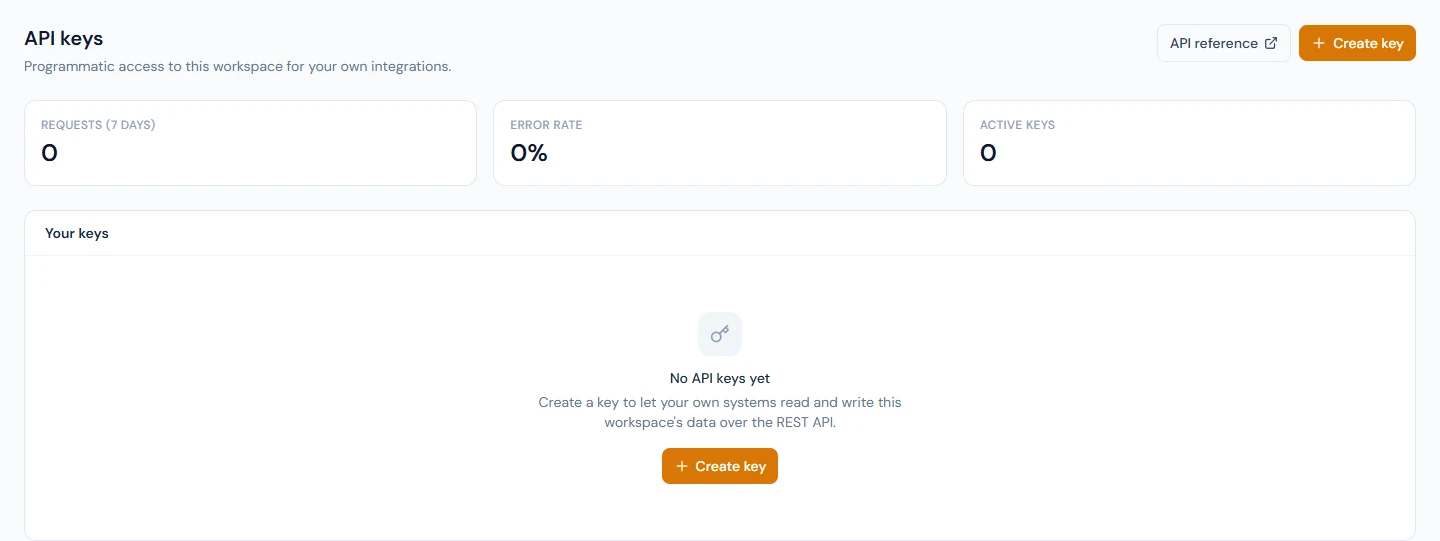
API keys, "Programmatic access to this workspace for your own integrations", lists your keys with their state (Active, Expiring soon, Expired, Revoked), when each was last used and when it expires, plus the requests and error rate of the last seven days and the failed requests by error code.
Create key asks for:
- Name: name it after the system that will use it ("Finance sync").
- Scopes: "A key can do only what its scopes allow. Grant the least it needs."
- Expires after a number of days.
- IP allowlist (optional): the addresses the key may be used from.
The new key appears once: "This is the only time this key is shown. We store a hash of it, so it cannot be recovered later — copy it now." Hand it to the system's owner through a secure channel. Revoke stops a key immediately; anything using it starts failing.
96.2 What the API can reach, and plan limits
Scopes are resource-shaped, read or write:
| Area | Scopes |
|---|---|
| People and organisation | employees:read, employees:write, org:read, org:write, documents:read, documents:write |
| Time | attendance:read, attendance:write, leave:read, leave:write |
| Money | payroll:read, expenses:read |
| Other | recruitment:read, recruitment:write, announcements:read, assets:read, webhooks:manage |
A scope that needs a module your plan lacks (payroll on Starter, for example) can be granted, but requests that use it are refused until the plan includes it. Requests above the plan's rate are refused for a moment and should be retried.
96.3 Webhooks: endpoints, events, signing
Webhooks, "Have Operentra tell your systems when something changes, instead of them polling for it". Add endpoint asks for:
- Endpoint URL: https and reachable from the internet; it is checked before saving.
- Description.
- Events: tick the ones the receiver needs, or none to receive every event, including ones added later.
| Events |
|---|
employee.created, employee.updated, employee.deleted |
attendance.recorded, attendance.updated |
leave.requested, leave.approved, leave.rejected, leave.cancelled |
payroll.run.approved, payroll.run.locked, salary_slip.published |
contract.signed |
Each endpoint has a signing secret: the receiver uses it to verify
the Operentra-Signature header on every request, and "requests that do
not verify are not from us". Rotate issues a new secret; the old one
keeps working for 24 hours so the receiver can switch. A new endpoint
receives nothing until Send test succeeds: "Your endpoint answered.
It is now receiving events." Pause and Resume stop and restart
deliveries.
96.4 Deliveries, retries and failures
Recent deliveries shows every attempt, retries included, with its status (Queued, Sending, Delivered, Failed, Gave up), the error and the response, kept for 30 days. Failed deliveries are retried automatically; Send again repeats one by hand. Repeated failures in a row switch the endpoint off ("Switched off automatically"); fix the receiver, then send a test to switch it back on.
96.5 Governing integrations
- Keep a register: each key's system, owner, scopes and expiry date.
- One key per system, never shared between systems or people.
- Prefer read scopes; grant write only to systems that must change data, and payroll access only where it is unavoidable.
- Review keys whose "last used" is old, and revoke what is not in use.
- When someone who managed an integration leaves, rotate the keys and secrets they knew.
What happens next
- Part 18 brings everything together in a capstone: a year at Northwind Labs.
What the employee sees
Nothing directly; the systems connected through the API may show them their data elsewhere.
Common mistakes
- One all-powerful key shared by several systems. Nobody can tell which system did what, and revoking it breaks them all.
- Keys that never expire. Set an expiry and renew deliberately.
- A receiver that does not check the signature. Anyone could send it fake events.
- Ignoring a switched-off endpoint. Events stop until someone fixes the receiver.
- Emailing a key in plain text. Treat it like a password.
Practice
Use your own trial workspace, not a customer's.
- Create a key named "Practice" with only
employees:read, an expiry of seven days, then revoke it. - Add a webhook endpoint at a request-inspection service you control
for
leave.requested, send a test, apply for leave as a test employee, and read the delivery.
Quiz
1. Can you see an API key again after creating it?
No; only a hash is stored. Copy it when it is shown.
2. Which plan allows the most requests per minute?
Enterprise, 1,000; Growth 300; Starter 60.
3. What happens to a key holding a scope the plan lacks?
It keeps the scope, but requests that need it are refused until the plan includes the module.
4. How does a receiver know a webhook came from Operentra?
It verifies the Operentra-Signature header with the endpoint's
signing secret.
5. What turns a webhook endpoint off by itself?
Repeated delivery failures in a row; a successful test turns it back on.