Speak up
Company → Speak up (/portal/speak-up) is where you raise a concern in confidence:
misconduct, harassment or bullying, a safety problem, fraud, a worry about data. If you do not
see it in the menu, your company does not use it.
For an ordinary question or request, use Requests instead.
Who reads it
The page names the people who receive concerns. Only they read one.
- Not your manager.
- Not the rest of HR.
- Not an administrator who is not on that list.
If your concern is about one of the people on the list, or you would rather they did not read it, tick them under Keep it from someone. They will not see it at all. It has to reach at least one person.
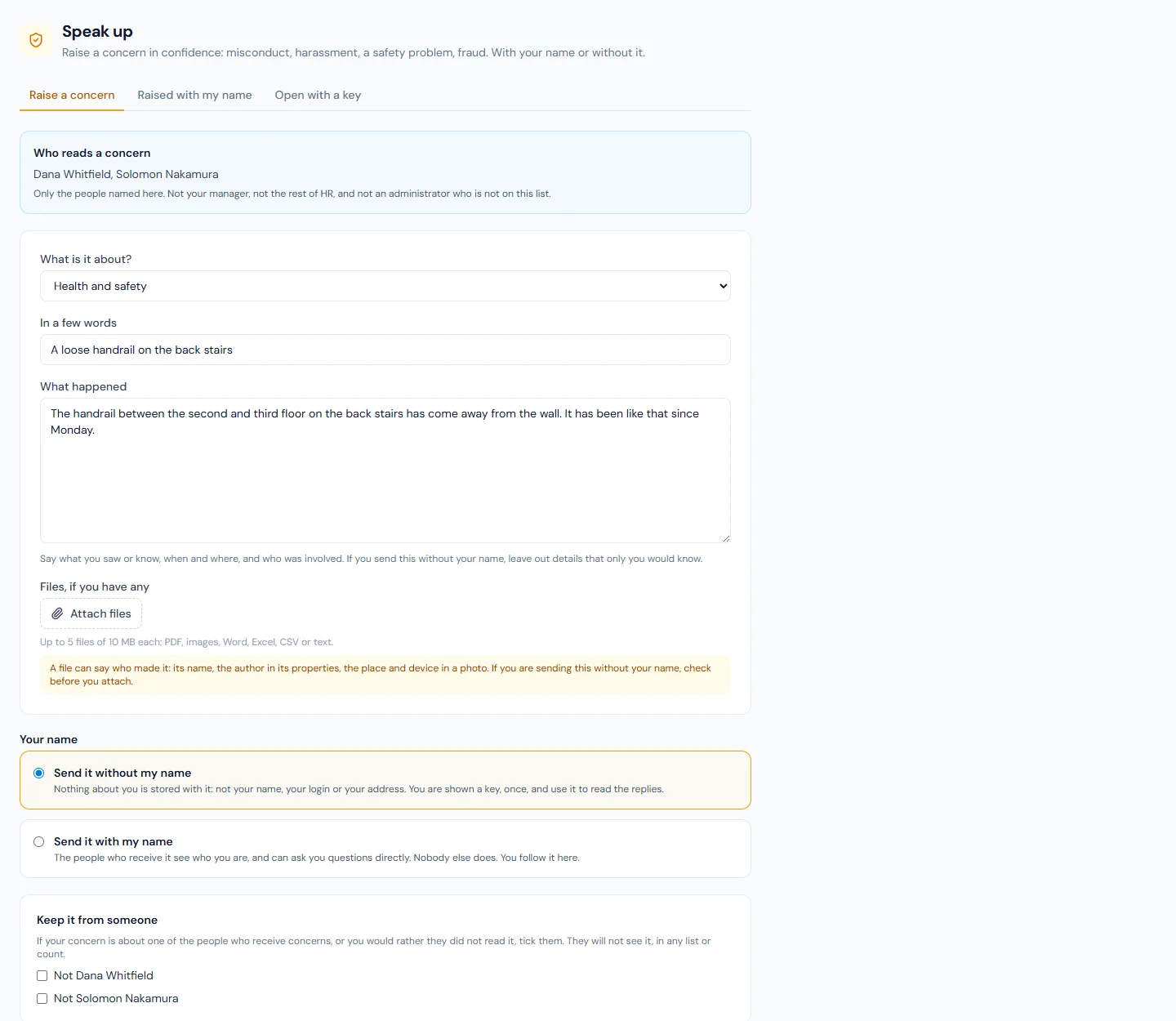
Raising a concern
- Choose what it is about.
- Say it in a few words, then write what happened: what you saw or know, when and where, and who was involved.
- Attach files if you have any: up to five, of 10 MB each (PDF, images, Word, Excel, CSV or text).
- Choose without my name or with my name.
- Press Send.
A file can say who made it. Its name, the author recorded in a document's properties, the place and the device recorded in a photo: all of these travel with the file. If you are sending without your name, check a file before you attach it, or leave it out and describe what it shows.
Without your name
Nothing about you is stored with the concern: not your name, your login or your address.
- You are shown a key, such as
K7QM-2XHP-9RTB-4WNC-6DFA, once. Write it down or save it somewhere only you can reach. - The key is how you read the replies and add to your concern: open Open with a key and type it. Capitals and dashes do not matter.
- Nobody keeps the key. If you lose it, nobody can give it back, and you will not be able to read the replies.
- You are not emailed when there is a reply, because nothing ties the concern to you. Look in from time to time.
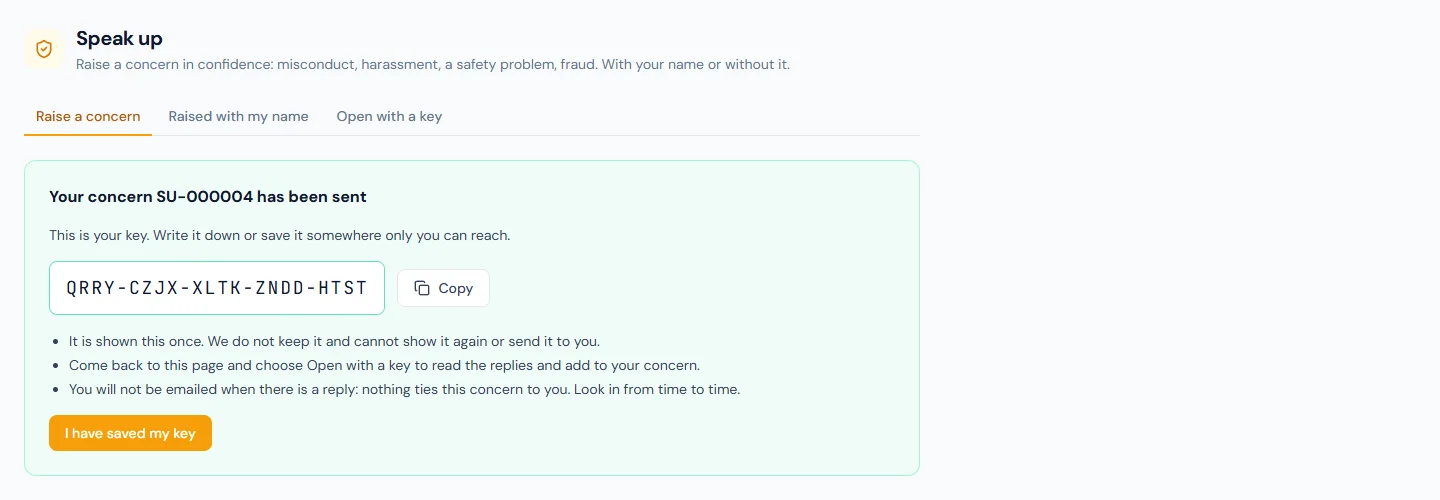
What you write can itself say who you are. Leave out details that only you would know.
With your name
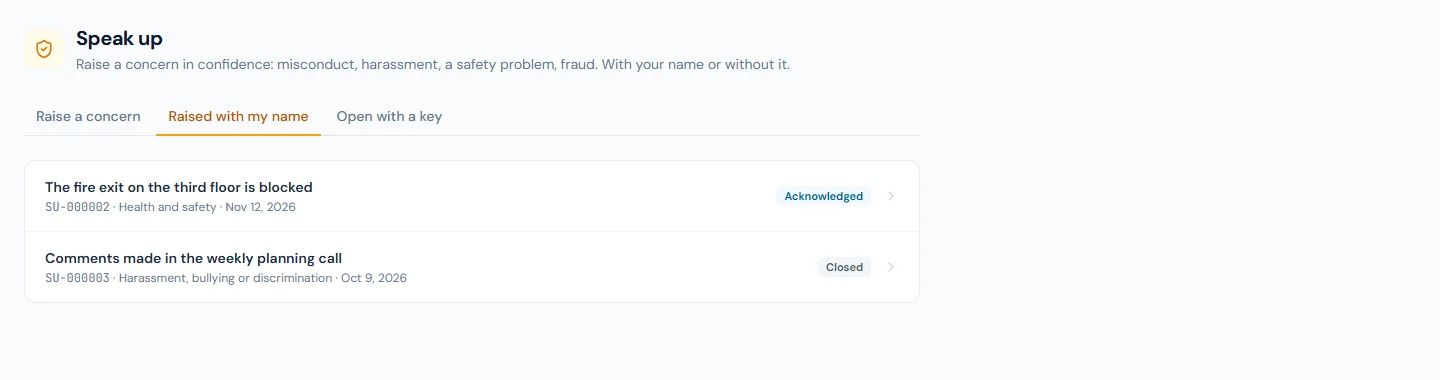
The people who receive the concern see who you are and can ask you questions directly. Nobody else does.
Your concern is listed under Raised with my name, where you read the replies and add to it. You are not emailed about it either; look there.
What happens next
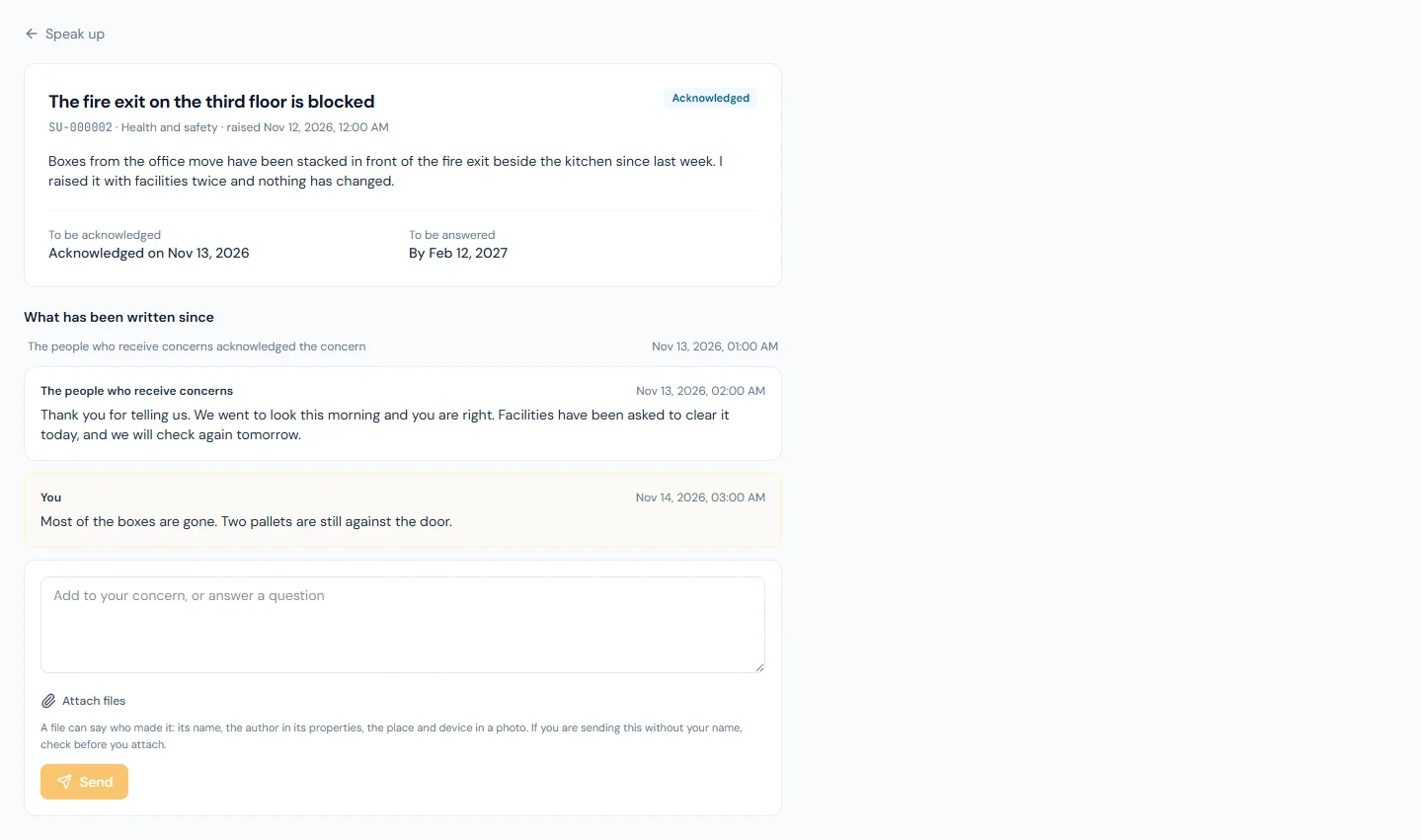
- Your concern should be acknowledged within 7 days. The date is on the concern.
- It should be answered within 3 months. When it is closed, you read What was found and done.
- You can add to it, or answer a question, until it is closed, with files if you need to.
- Files in a reply are downloaded when you press them.
If you are named to receive concerns
A fourth tab, Concerns to handle, lists them. Your company's admin guide describes what a handler does.