Announcements
Company → Announcements (/portal/announcements) lists the announcements meant for you: those sent to everyone and those aimed at your department, branch, role or at you by name. Pinned announcements come first, then the newest. The five most recent also appear on your dashboard.
Reading one
Each card shows the title, priority, category, date and author. Read opens the full text. Opening an announcement records that you have read it. The list your company works from shows how many people have read each one.
Some announcements also arrive by email and in the bell.
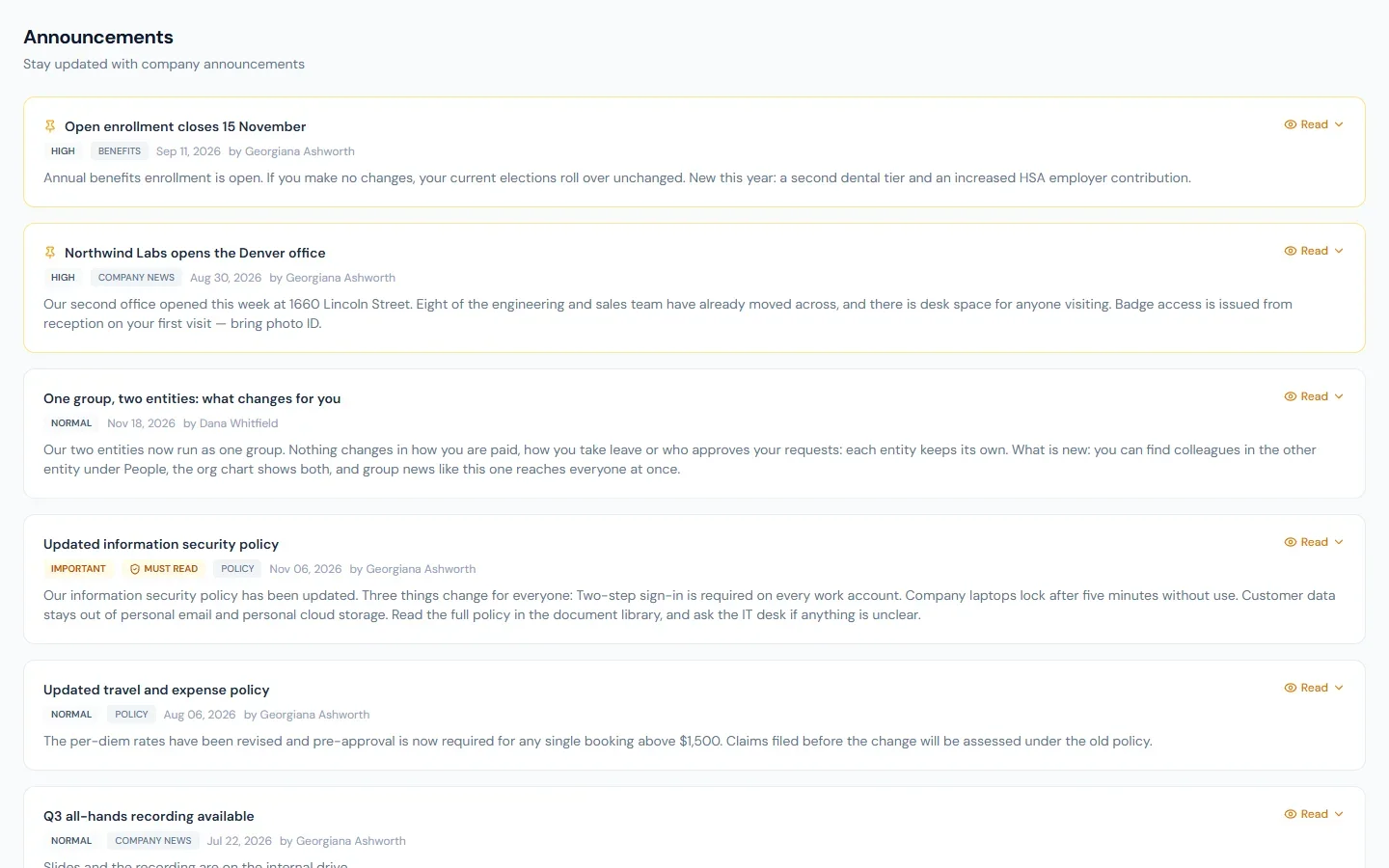
Must-read announcements
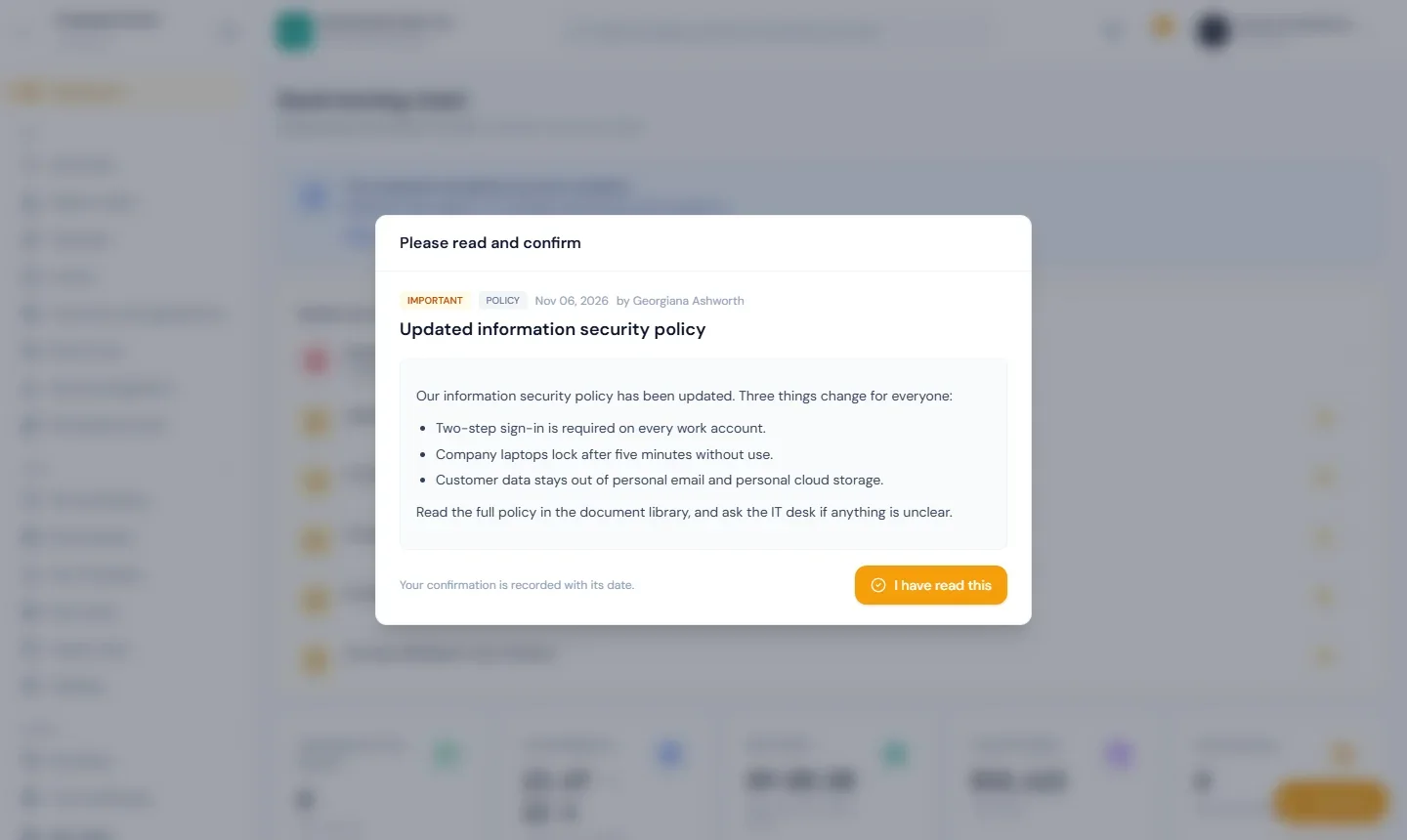
Your company can mark an announcement Must read. When one is waiting for you:
- The next time you open the app it is shown over the page. It cannot be closed.
- Read it, then press I have read this.
- If more than one is waiting, the next appears. When none is left you carry on where you were.
Your confirmation is recorded with its date and time, and your company can see that you confirmed.
- It changed after you confirmed. If the announcement is updated and your company asks everyone again, it is shown to you once more with a note that it has changed.
- Finding it later. A must-read stays on the Announcements page with a Must read label and the date you confirmed.
- The button did not work. If your confirmation could not be saved, Close for now lets you continue. You are asked again the next time you open the app.
Reactions and comments
If your company has switched them on, an opened announcement shows:
- Reactions. Choose one. Choosing another replaces it; choosing the same one again removes it.
- Comments. Press the comment count to open them, write yours and press Post. Everyone who can read the announcement sees it with your name. You can delete your own comment; the people who manage announcements can delete any.