Payslips & tax documents
Salary slips
Open My Salary (/portal/salary). On desktop, the left column lists your
months — newest first, loading more as you scroll — and clicking one shows the
full breakdown on the right: earnings with any bonus or adjustment, deductions
with any loan instalment, adjustment and late, absence or unpaid-leave
deduction, employer contributions with your total cost-to-company, and
working/present/absent days. Half days, unpaid leave days, late arrivals and
early leaves show too when the month has any, since they are what the absence,
unpaid-leave and late deductions are counted from. The standard PDF slip prints
them in its attendance strip as well. On a phone, the list fills the screen and a month
opens as a full-screen panel with a sticky back header (mirrored correctly in
Arabic).
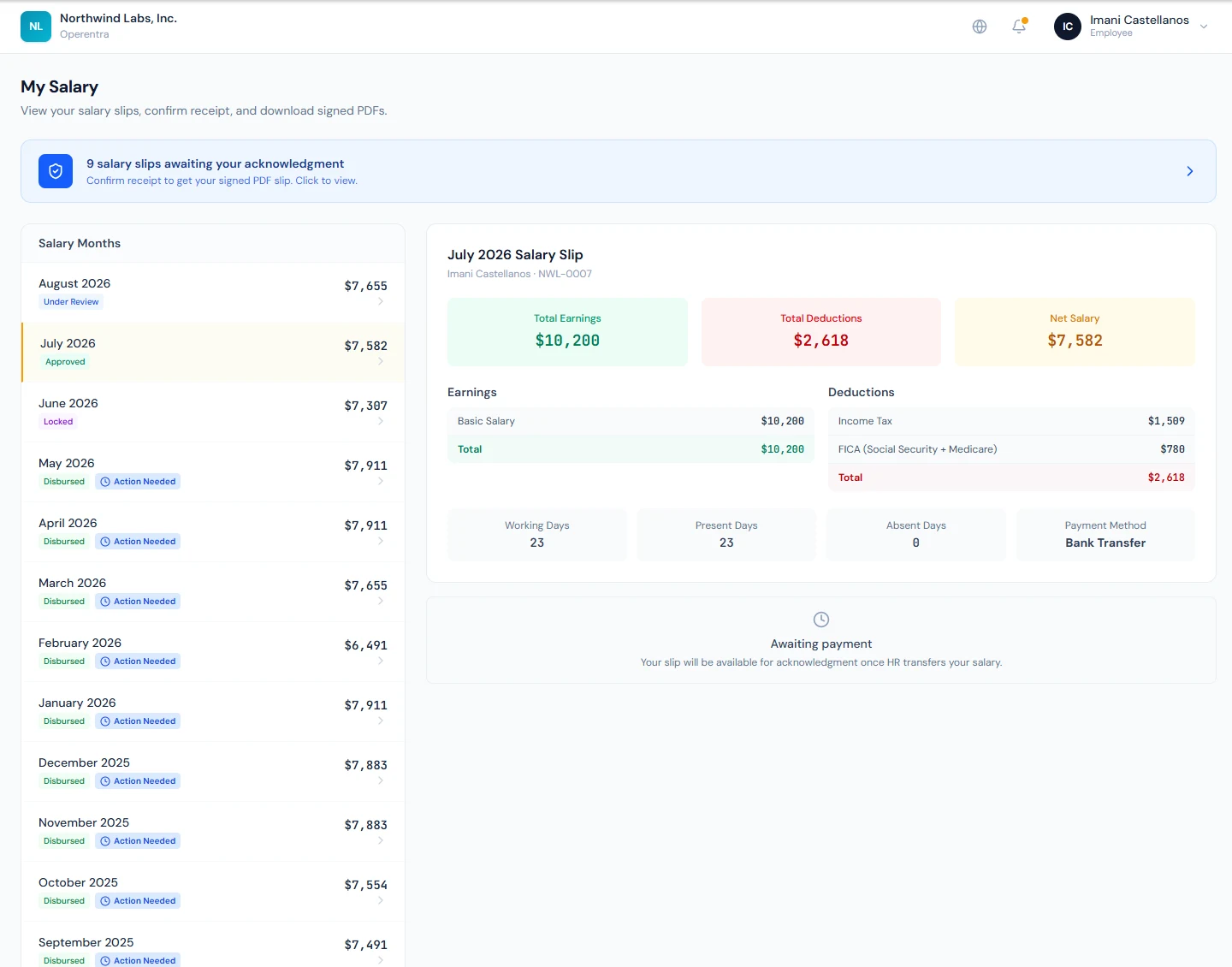
However far back your history goes, the pending-acknowledgment banner always counts every unacknowledged slip, not just the months currently loaded.
Acknowledging receipt
Salary slips use a confirm-receipt flow rather than a plain download:
- Once HR marks your salary as paid, the slip shows an Acknowledge Receipt button, and a banner at the top of the page counts how many slips are awaiting your acknowledgment.
- Click Acknowledge Receipt and confirm in the dialog. Your timestamp and IP address are recorded as receipt evidence.
- After you confirm, the signed PDF slip is emailed to you and a Download Signed Salary Slip (PDF) button appears on the slip for future downloads.
Slips that have not been paid yet show an "Awaiting payment" note and cannot be acknowledged.
If you opened the portal from a "please acknowledge your slip" email, the portal takes you straight to that month and opens the confirmation dialog for you.
Tax certificates
Open Tax Certificates (/portal/tax-certificates). Each fiscal year in
which your salary was processed gets a card summarising your gross pay,
taxable income, and income tax deducted at source for the year. Use
View to open the certificate in a new tab or Download to save the PDF.
Gross is the pay you earned: your salary, bonuses and other payroll additions, less any days docked for absence, unpaid leave or lateness. Expense claims reimbursed with your salary are not included, because they repay your own money. The certificate works out each month's gross the same way.
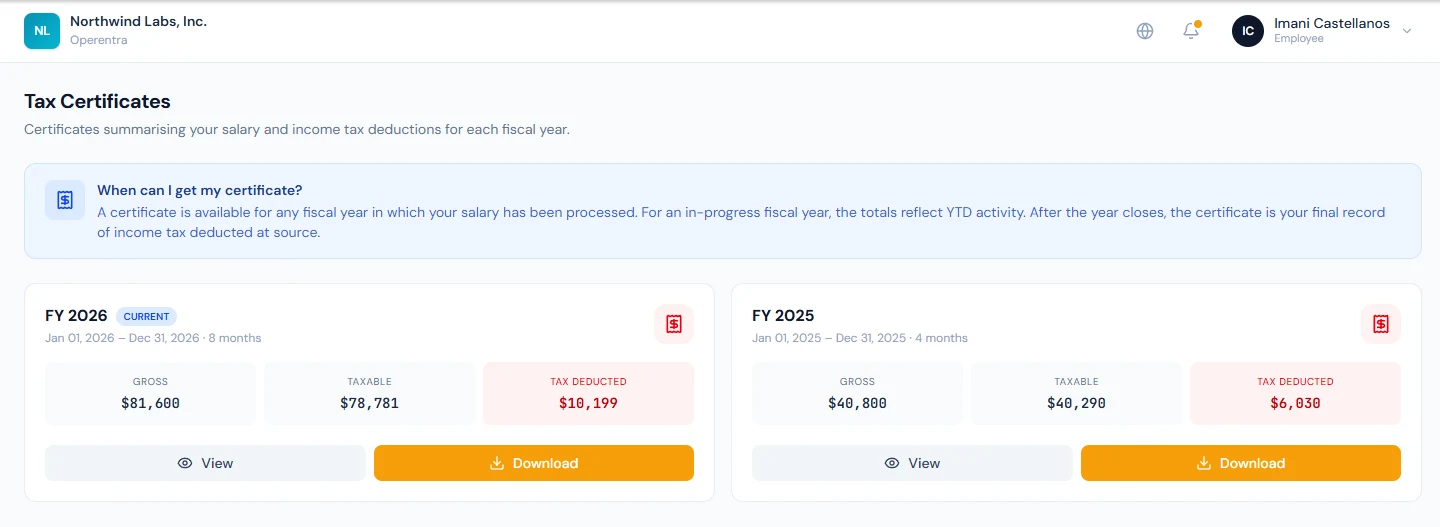
A certificate is available for any year that has processed payroll. For the current, in-progress year the totals reflect activity to date; once the year closes, the certificate is your final record of tax deducted.
This page only appears where your country levies personal income tax. In a no-income-tax workspace — the UAE, for example — the menu entry is removed entirely: a tax certificate is a receipt for tax withheld at source, and nothing was withheld.